
ChatGPT Empty Room: Fill a Room With Your Interests
Use the ChatGPT Empty Room game to turn interests you choose into room details, with a fill-in brief, context check, and editing decision tree.
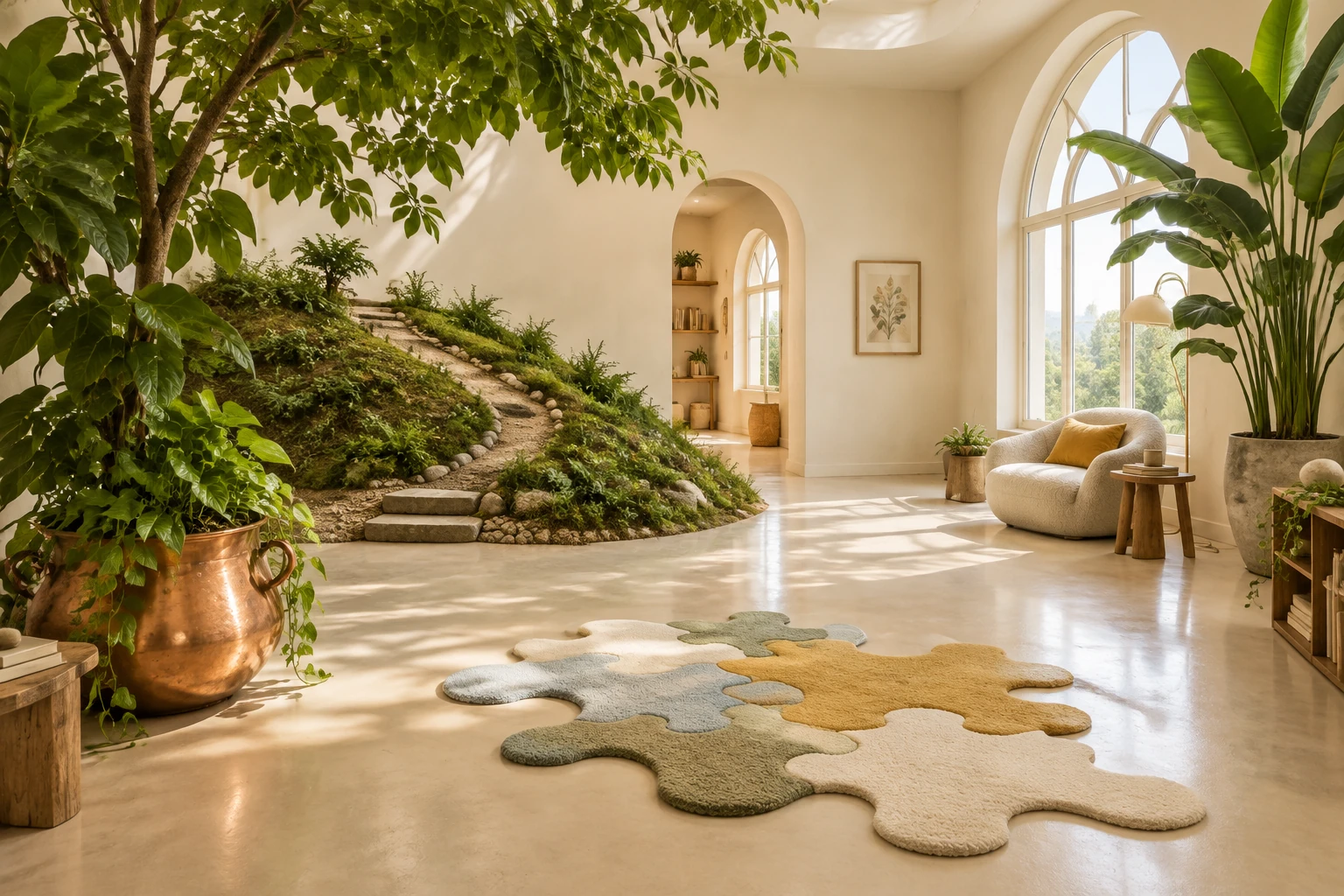
The ChatGPT Empty Room game turns interests you choose into objects in an imaginary room—not a reading of your personality. Start a fresh conversation, provide a few concrete details, and ask for a playful room portrait. This fill-in brief works without a long chat history, and you can reuse it with kize.ai’s AI image tool as a standalone prompt.
What's new on this page
- 2026-11-13 — Published this guide with a reusable personal-room brief, three-question context check, and editing decision tree.
Give the room usable context
A prompt like “make a room that feels like me” leaves too much open. The image may lean on generic decor or familiar hobby symbols. Instead, give the tool a small, chosen set of facts and say how each should appear as an object. You control what goes in; the result is an imaginative arrangement, not evidence about you.
The example below is fictional: an amateur cook, weekend hiker, and puzzle collector who keeps too many plants. Its details are specific enough to guide a scene without requiring a personal history.
Three-question context check
Before writing the prompt, answer these three questions in notes:
- Which three interests do you want represented? Choose activities you are comfortable including, such as cooking, hiking, and puzzles.
- What visual object could stand for each one? Try a copper pot, a small trail map, and a partly completed jigsaw.
- What should the room feel and look like? Pick practical directions: airy or crowded, warm or cool, realistic or whimsical. Add one thing to avoid, such as readable text.
These answers are your whole context. Leave out any interest you do not want pictured. If you have only one or two useful details, use those rather than padding the prompt with personal information.
Copy-ready personal-room brief
Replace the bracketed parts, then paste the prompt into a fresh conversation. The example in parentheses shows one way to fill it in; keep, change, or remove any detail.
Create a humorous, welcoming imaginary room portrait based only on the interests and visual preferences I provide below. Do not infer hidden traits, life events, or personality. Represent each listed interest with a clear, recognizable object: [interest 1 → object], [interest 2 → object], [interest 3 → object]. Add [optional recurring object or visual quirk]. Arrange the objects in one coherent room, with a clear focal area and enough open space for the details to read. Use [style, palette, and lighting]. Make the humor come from an unexpected but understandable arrangement, not from mocking me. Avoid [things to exclude, such as people, readable text, logos, or extra hobbies]. If an object is ambiguous, use the closest visual interpretation of my description rather than adding a new interest.
Example details: amateur cooking → a copper pot; weekend hiking → a small trail map and muddy boots; puzzle collecting → a partly completed puzzle on a side table; too many plants → a cluster of houseplants sharing the sunny window. Style: airy cream room, warm daylight, playful scale. Avoid people and readable text.
The example is a set of prompt choices, not a claim about what a particular tool will produce. If you move the brief to another image tool, paste the full description rather than relying on conversation history. kize.ai’s AI image tool accepts standalone prompts; use its current interface to make your image. For a separate motion version, you can adapt the finished scene for AI video, if that suits your project.
Optional room-photo reference
If you want to provide a reference, use one room photo that you own. Make sure it contains no people or private documents. State what should stay in place—for example, “keep the window and desk in their general positions, and add the imagined objects around them.” A reference can guide the composition; don’t assume it will reproduce the room exactly.
Revise by diagnosing the visible result
Compare the image with the three interests you supplied. Change one part of the prompt at a time so the next version has a clear target.
- If it looks generic: Name the missing interest and its object directly. Replace “add more personality” with “show a partly completed jigsaw on the side table.” Add one specific placement or material, not a list of extra hobbies.
- If it looks cluttered: Reduce the number of objects and give the scene a focal point. For example: “Keep the copper pot, trail map, and jigsaw as the three main details; use only three additional plants; leave the center floor open.” Remove decorative extras before removing a detail you chose to represent an interest.
- If it is overly literal: Keep the recognizable objects but ask for a more imaginative relationship between them. Try: “The trail map can form a small winding path across a rug; keep the puzzle on the table and the plants by the window.” This nudges the composition without asking for unrelated symbols.
If the result gets one interest wrong, correct that object specifically. If it introduces an unwanted personal detail, remove it from the next prompt and restate that the image should use only the details you provided. The goal is a room that reads as your chosen set of interests, not a verdict about who you are.
Keep the prompt self-contained
ChatGPT can take image requests and reference images. Manage memory separately in settings, so include the context you want to use in the prompt itself. Image generation · Memory.
Before starting paid image work, check the current model and quote in the tool you plan to use. For more prompt ideas, browse the kize.ai blog; review pricing before a paid task.