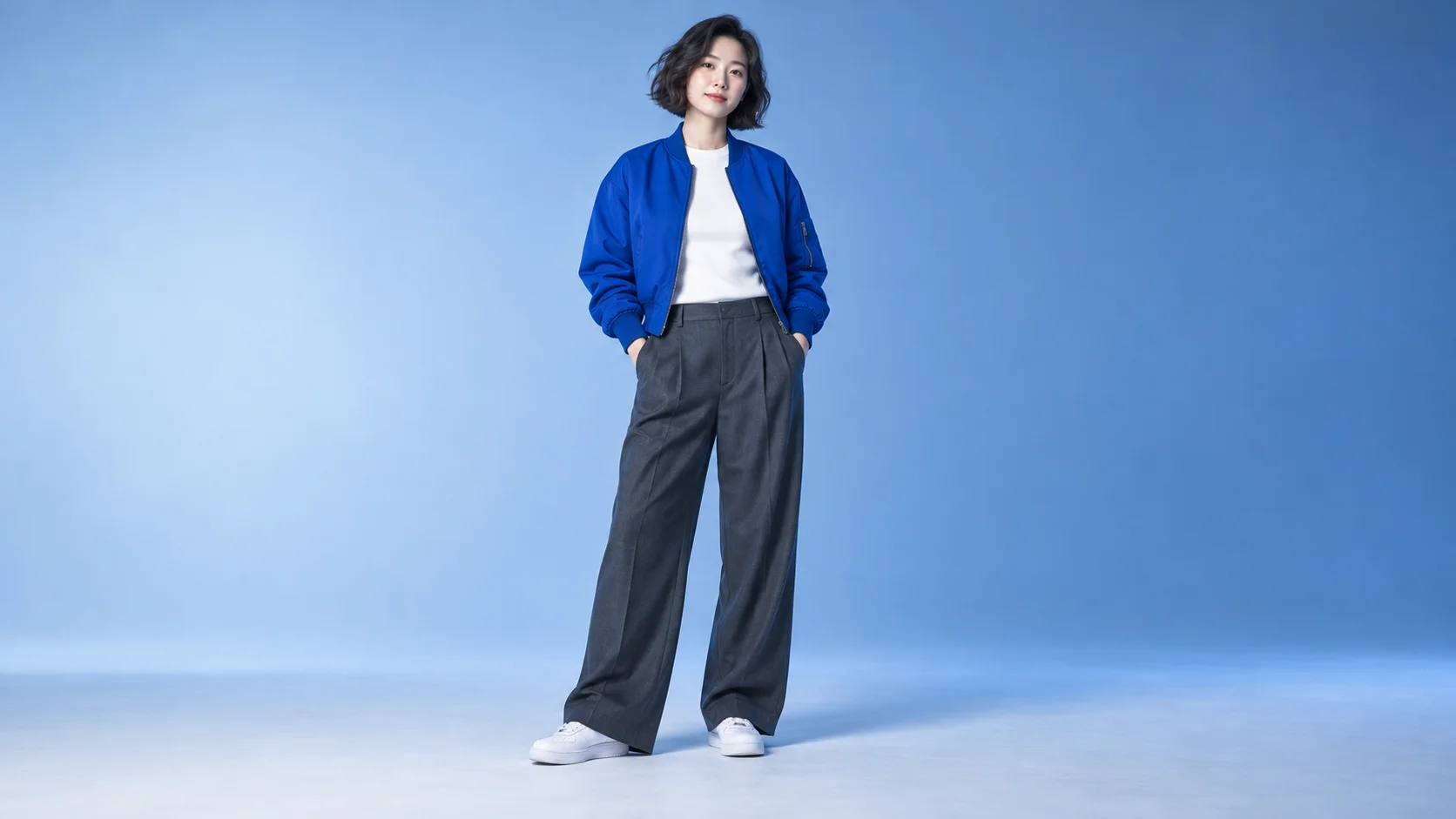
This fixed video supplies the dance and stage structure. Your uploaded image supplies the central lead appearance.
History
Video history
Loading history…
A clear portrait becomes your concert cameo
Step into a short concert performance with a face and outfit you choose. Talk Dirty Dance AI uses one appearance image to recast the central dancer in a fixed stage reference. You do not need to record a routine. Start with a clear subject, watch the movement and let the existing performance provide the structure for your cameo.
The image slot is for the replacement lead. The supplied video guides the choreography, camera and surrounding stage activity. This page begins with an eight-second output setting, while the reference lasts about 7.24 seconds. Optional style notes can refine the treatment, but the core idea remains one lead inside the prepared dance.
Prepare one recognizable subject with a readable outfit.
How to create your Talk Dirty Dance AI remake
1. Pick one performer
Choose a clear image of the person or original character you want to recognize. Keep the face and as much of the outfit as possible visible. A full-body view can communicate shoes and proportions; a distant group photo makes the intended lead less clear.
2. Check the appearance details
Inspect the source at normal viewing size. The cobalt jacket, pale top and charcoal trousers in our guide create a simple silhouette. Look for sharp facial features, readable clothing edges and a background that does not blend into the body. Use one image, not a collage.
3. Preview and review the estimate
Play the fixed reference before creating. Confirm the lead image, output controls and current credit quote. Keep optional notes concise and compatible with the dance. You do not need to upload another performance clip or write every movement into the form.
4. Watch the completed take
Open the finished result in History. Follow the face, jacket and shoes through the whole movement, including turns and overlaps with background dancers. Listen to the audio separately, then save a take that remains coherent from the opening to the final pose.
Choose the image for movement, not only for a thumbnail
Check appearance details, then upload a single clear image.
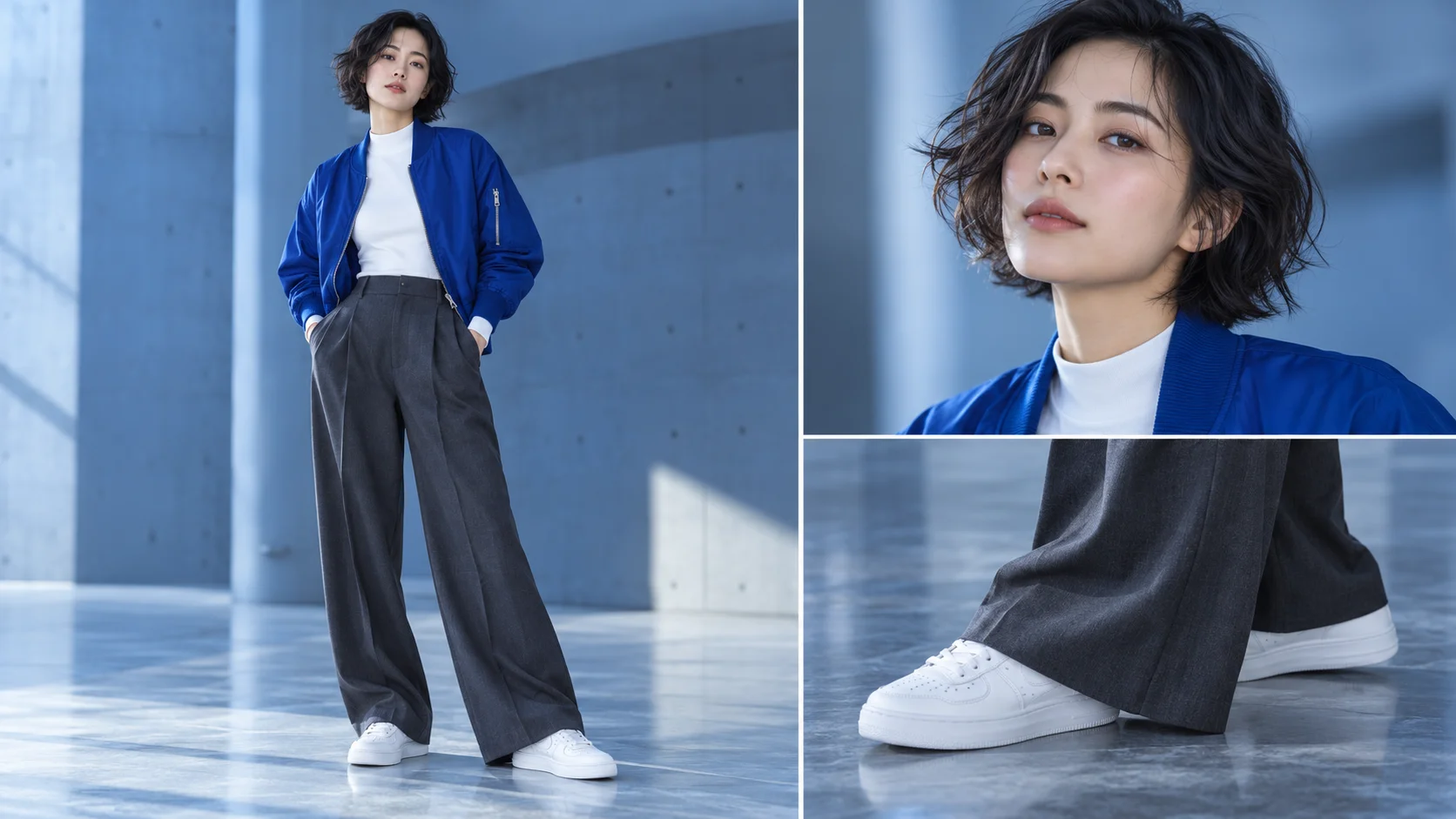
An attractive close-up may tell the model very little about the outfit below the shoulders. If clothing and shoes matter to your cameo, prepare a fuller view. The image-selection board highlights the three details to check: face, overall silhouette and footwear. Those are useful review points, not a request to upload three files. The actual workflow accepts one lead appearance image.
Our blue-jacket character has a clear division between upper and lower clothing, which helps make movement readable. Your own outfit can be different. Avoid relying on tiny logos or thin jewelry as the main identifying feature, because fine details can shift during generation. If the source hides the hands in pockets, use the rest of the body outline to judge whether the pose and clothing are clear enough.
Let the prepared performance do the choreographic work
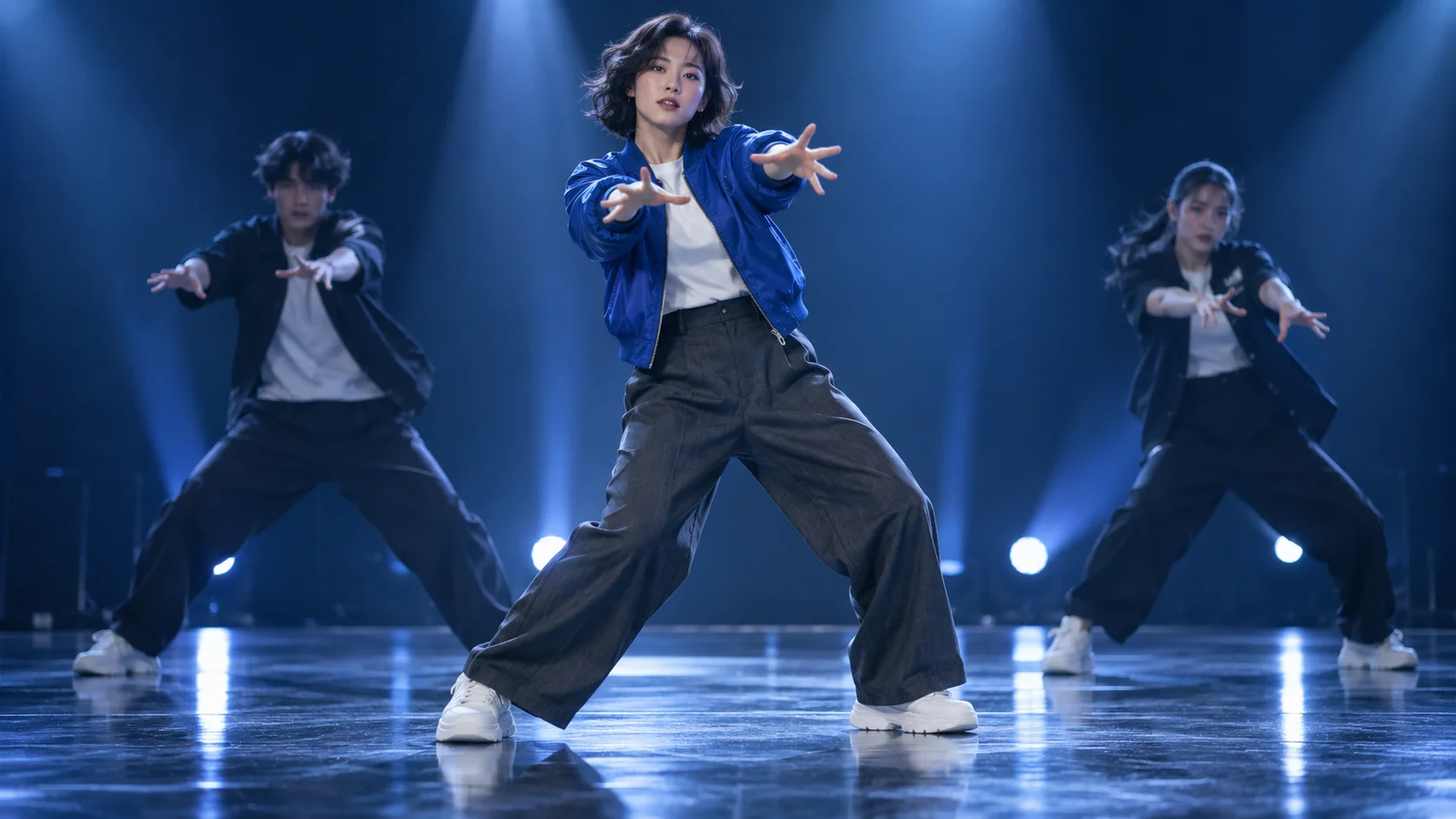
Concept direction: the new lead remains central in the stage scene.
The fixed reference supplies a short sequence of stage movements rather than an empty scene waiting for a new routine. Preview its tempo and framing before choosing your lead. Optional notes are most useful for a small stylistic adjustment that agrees with the source image. A long description of unrelated camera moves, extra performers and a different dance can make the intended result harder to evaluate.
The stage illustration imagines the character in a similar kind of performance setting. It is an editorial concept, not a screenshot from a completed generation. Background performers, lighting and small timing details can change in the returned video. Review the actual take instead of assuming that every feature of the reference or artwork will be copied exactly. The central appearance should remain the focus of your comparison.
Review the transition between poses
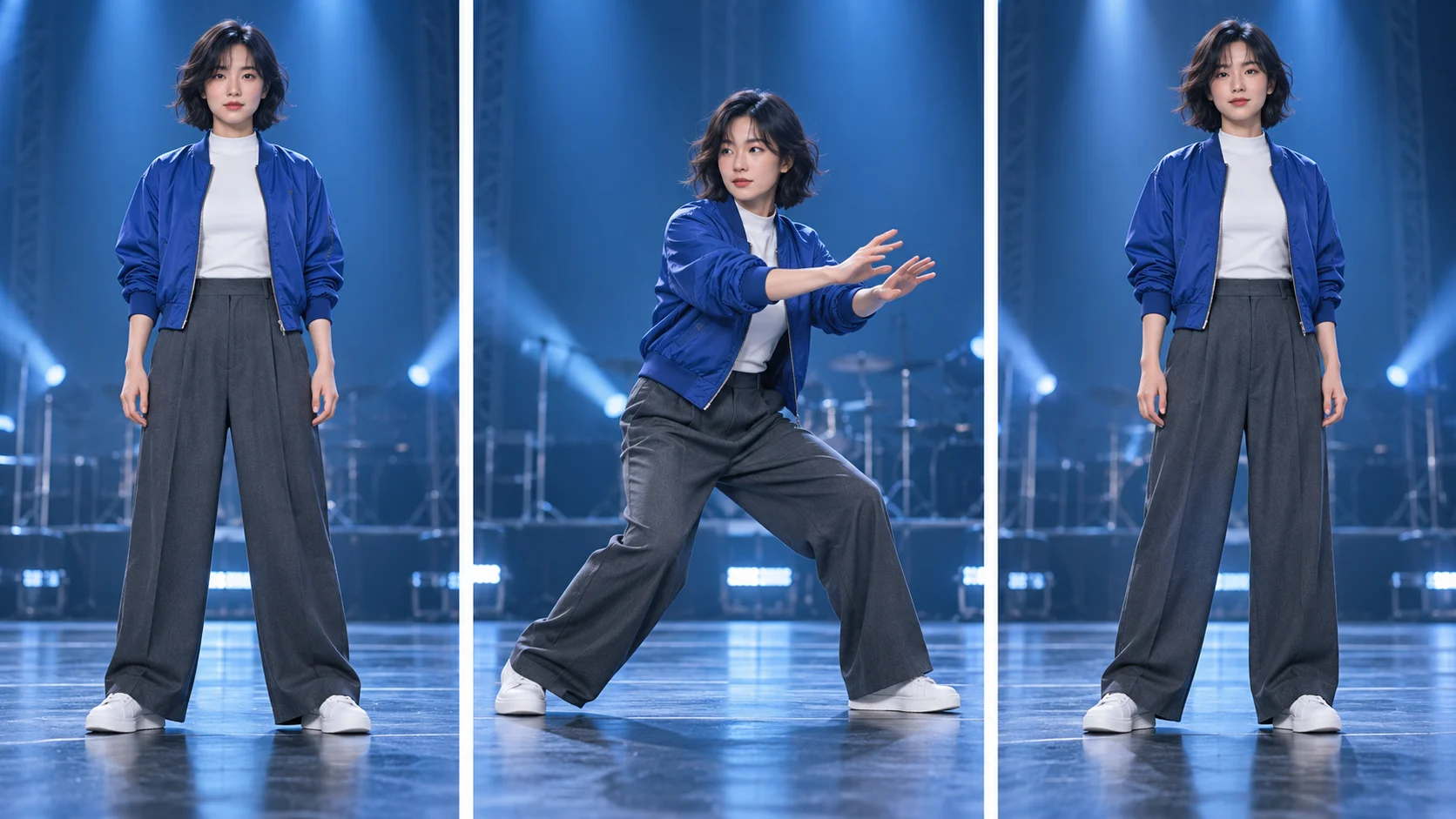
Review continuity across the movement, not just one frame.
The three-pose guide suggests a simple way to watch your result: find the lead at the start, inspect the strongest step, then check the recovery. Look for feet that stay connected to the floor and hands that remain separate from sleeves. Follow the jacket hem through the middle of the movement. A single good frame is useful for a thumbnail, but it does not establish that the whole dance is coherent.
Replay at normal speed before slowing down difficult moments. Check the clip on a phone, where a busy background may compete with the lead more than it does on a large screen. Listen before sharing; this workflow does not guarantee the original recording, exact lyrics or perfect musical synchronization. If you need a particular soundtrack, handle that choice separately in your editing process after reviewing the generated video.
Input, cost and result questions
Do I need to film myself dancing?
No. This page supplies a fixed performance reference. Your image provides the lead's appearance rather than a new action sequence.
Is a full-body image required?
It is helpful when outfit and shoes matter, but the essential requirement is a clear single subject. More visible appearance detail gives you a stronger basis for reviewing the result.
Can I change the entire routine?
This workflow follows the prepared dance. Optional notes can refine the treatment, but they are not independent choreography controls.
Will the original music remain exact?
Exact music, vocals and synchronization are not guaranteed. Listen to the returned clip before using it or adding a separate soundtrack.
How many credits will it use?
Read the live task estimate after setting up the inputs and output options. Account eligibility and current model policy apply; no free generation is promised.
Where is the completed video?
Follow task progress and open the result in History. Inspect the full sequence and sound before choosing a take to keep.